
I No Longer Use The Email Address That I Signed Up With. Can I Change it?
I no longer use the email address that I signed up with. Can I change it?
Yes, you can change your account email address very easily.
Using an email address that is accessible and convenient to you ensures communication from jumpoffcampus.com and interested renters will easily reach you. We appreciate your keeping your information updated and accurate.
✩ Follow these steps ✩
- LOG IN to your account

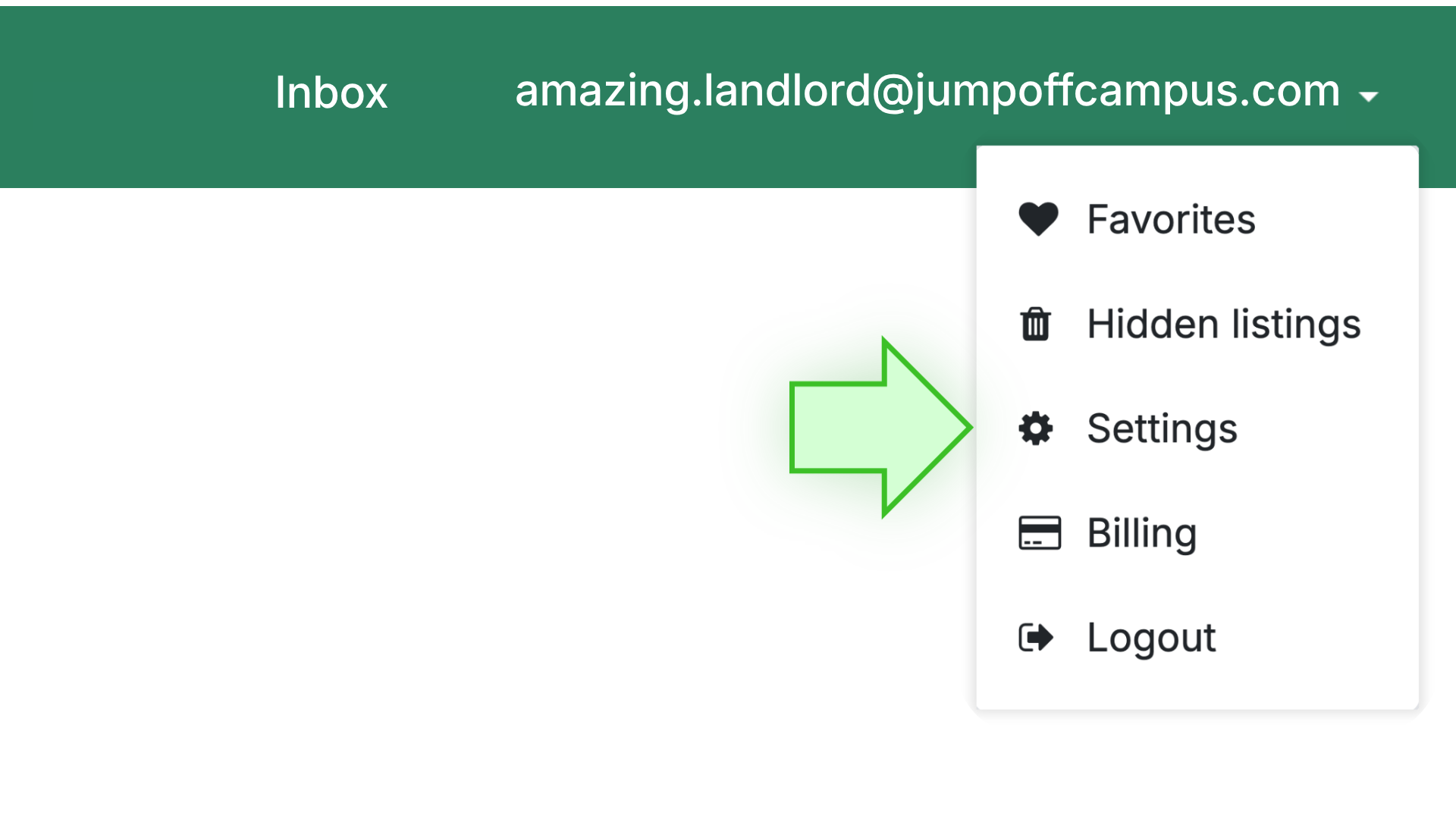
- Where you see your email address, there is a drop-down menu
- Within the drop-down menu, select SETTINGS
- A new page opens under CONTACT INFORMATION, you will see your current email address
- Backspace to completely delete the email address
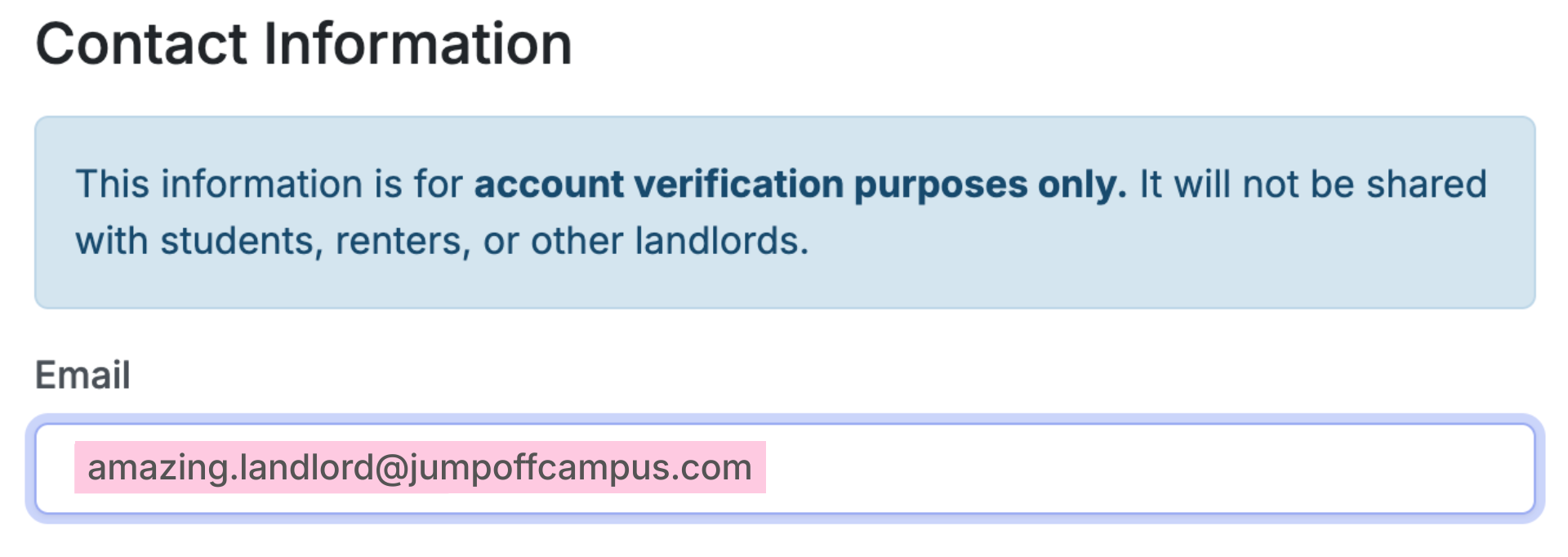
- Carefully type in the new email address

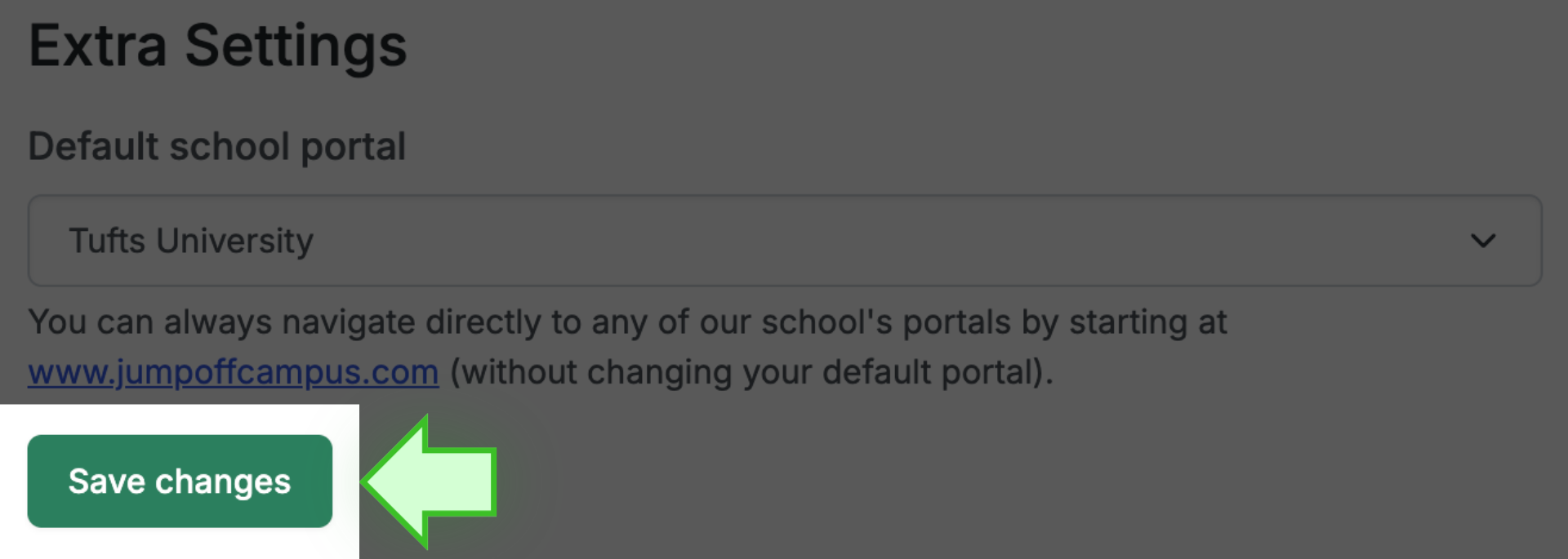
- Scroll to find EXTRA SETTINGS
- Select SAVE CHANGES.
- An email will be sent to the new address. You must open the email and follow the instructions to complete the change
- If you do not see the email within a few minutes, check your SPAM/JUNK folder
You're all set!