
I Want to Boost my Listing to a Plus Package, How Can I do that?
I want to boost my listing to a plus package, how can I do that?
After you have purchased your listing, you have the option to upgrade your listing. There are two different options that offer diverse benefits. In this guide, we will focus on our Plus Listing. With our plus listing you have:
🔒 Money back guarantee: We promise to deliver quality leads, or we'll refund your entire purchase.
📄 More tenant information: Receive a questionnaire completed by everyone who responds. More info.
✩ Follow these steps ✩
- LOG IN to your account

- Go to MY LISTINGS
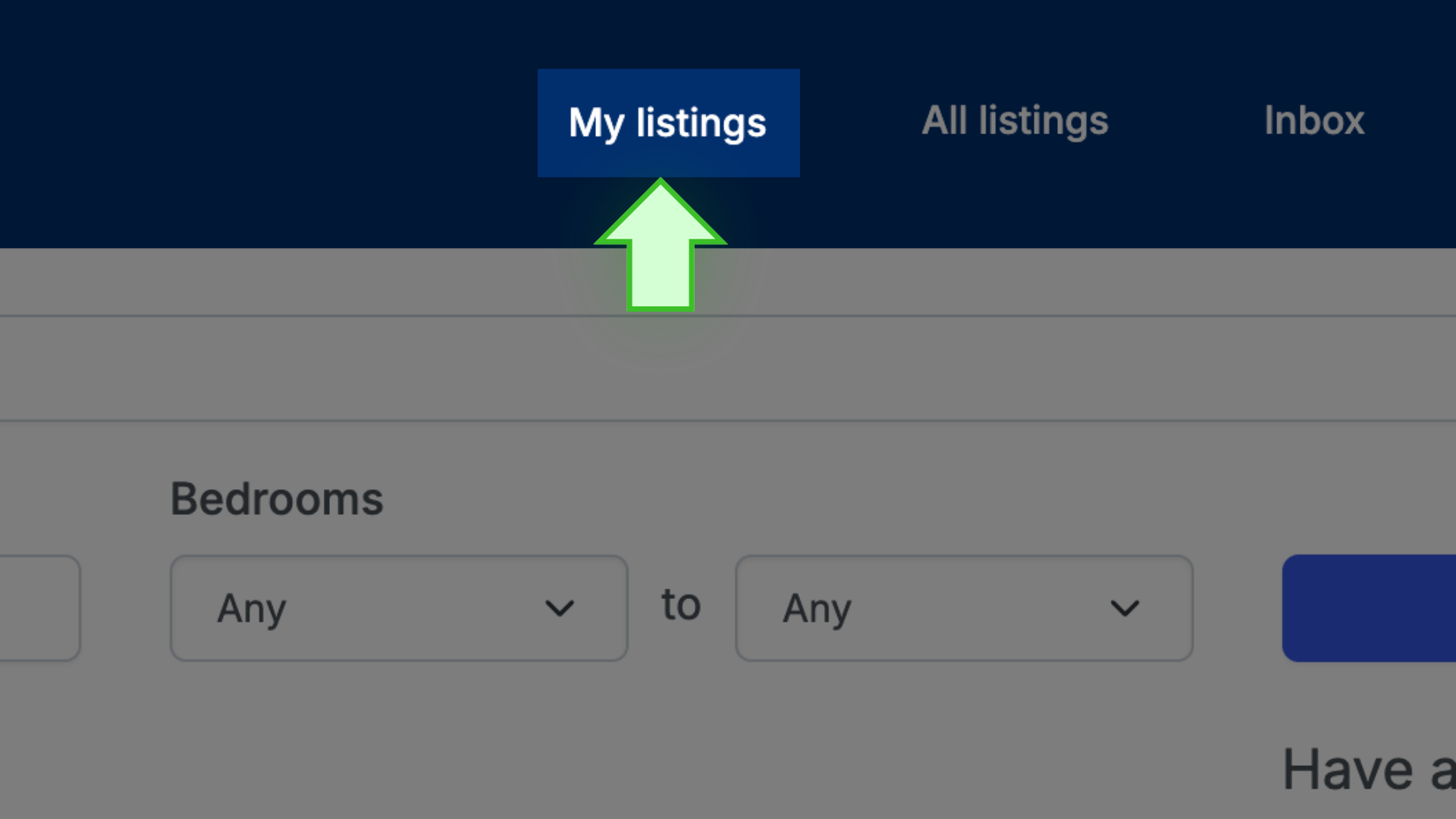
- Click on the address/title of the listing to open the listing’s public page

- Above the photo display, select ACCEPT APPLICATIONS (upgrade)

- The amount of the original purchase will be shown as subtracted from the price of the new package, and the difference will be charged.

- Select the credit card and select PAY to complete the transaction
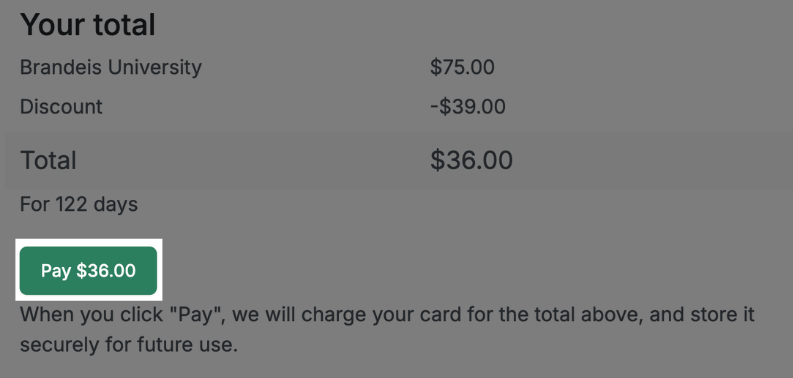
✩ PRO TIP ✩ The six-month expiration date is calculated from the date of the original purchase. The upgrade does not reset the expiration date.