
How Can I Advertise my Rental to More Than One School?
My rental is near a few different schools. How can I advertise my rental to more than one school?
You can have your rental shown in more than one school portal, depending on the location of your rental. In some areas of the country, we have partnerships with several schools, and in other areas we may only have a partnership with a single school. Listing in more than one school portal is called cross-posting.
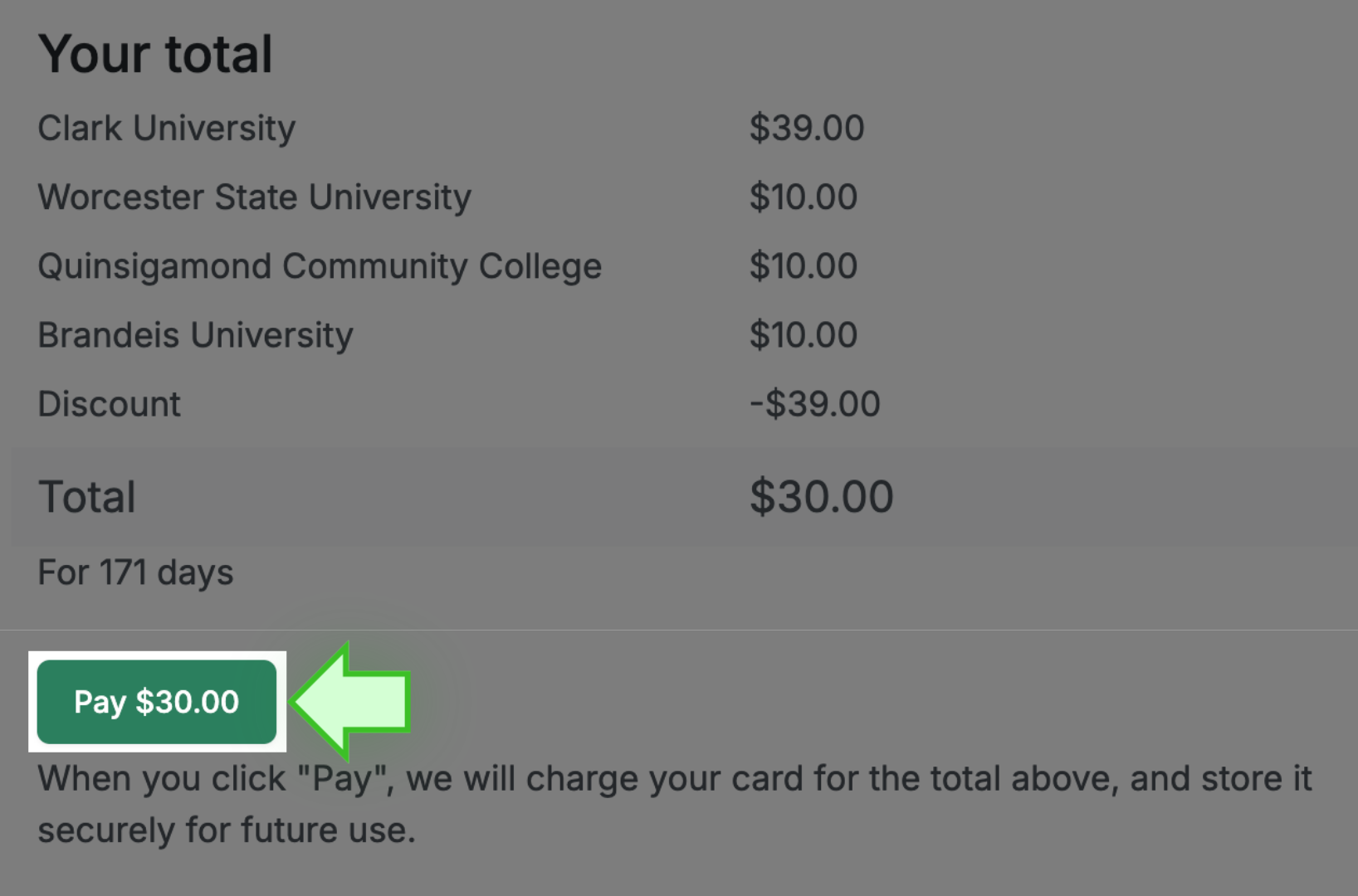
If you are purchasing a new listing, when you get to the payment page any additional schools available to you will be listed there. Select the school(s) you want to cross-post to and complete the payment process. If you do not see any additional schools listed, this means we currently do not have any other partnered schools in the area. Our team is always working hard to establish new partnerships, so you may see new options for cross-posting in the near future!
If your listing is already posted on the website, adding an additional school is very easy to do.
✩ Follow these steps ✩
- LOG IN

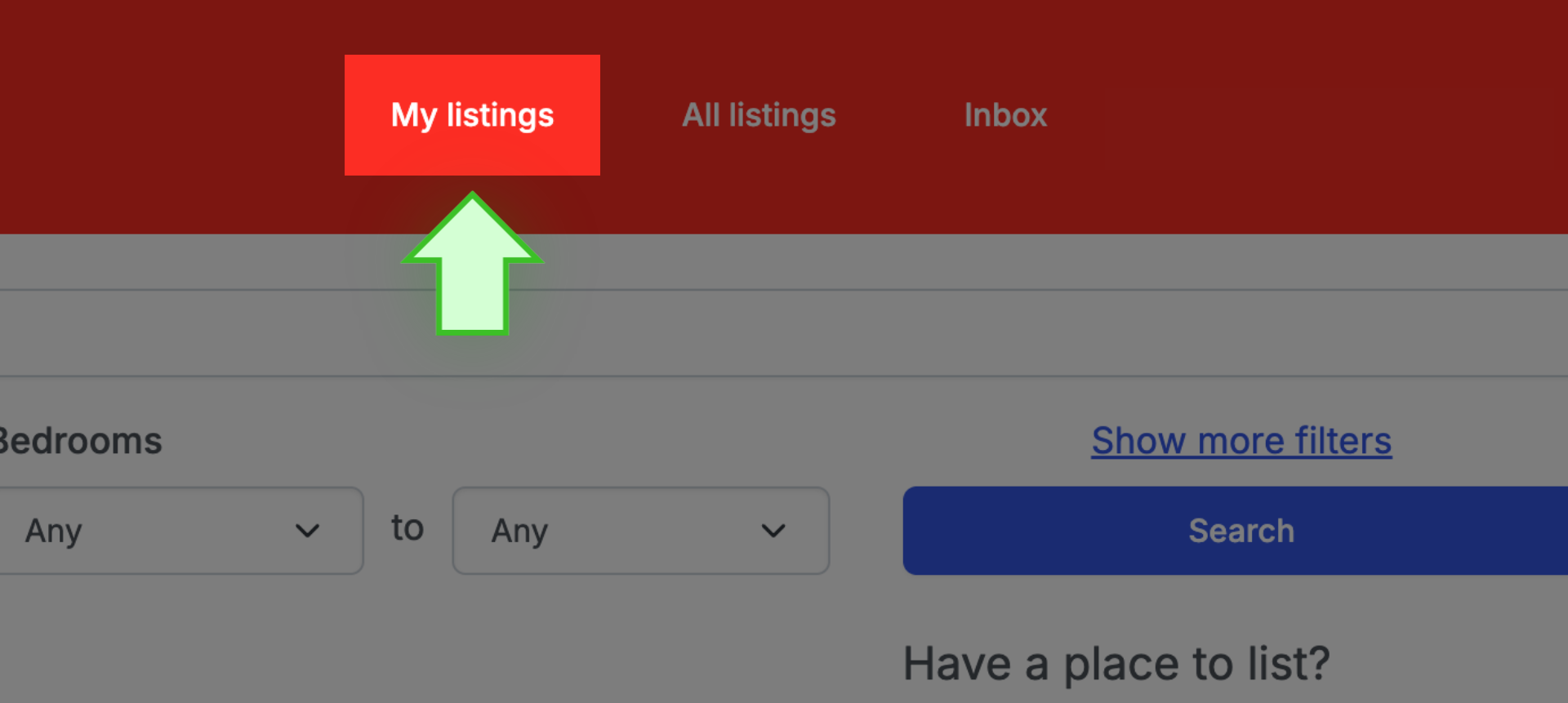
- Select MY LISTINGS
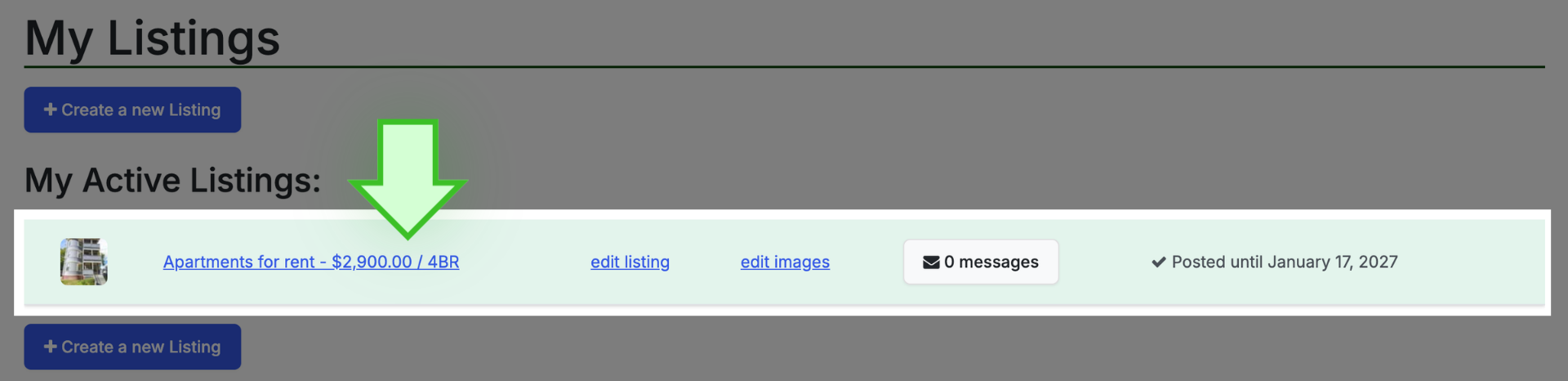
- Click on the address/title of the listing to open the listing’s public page
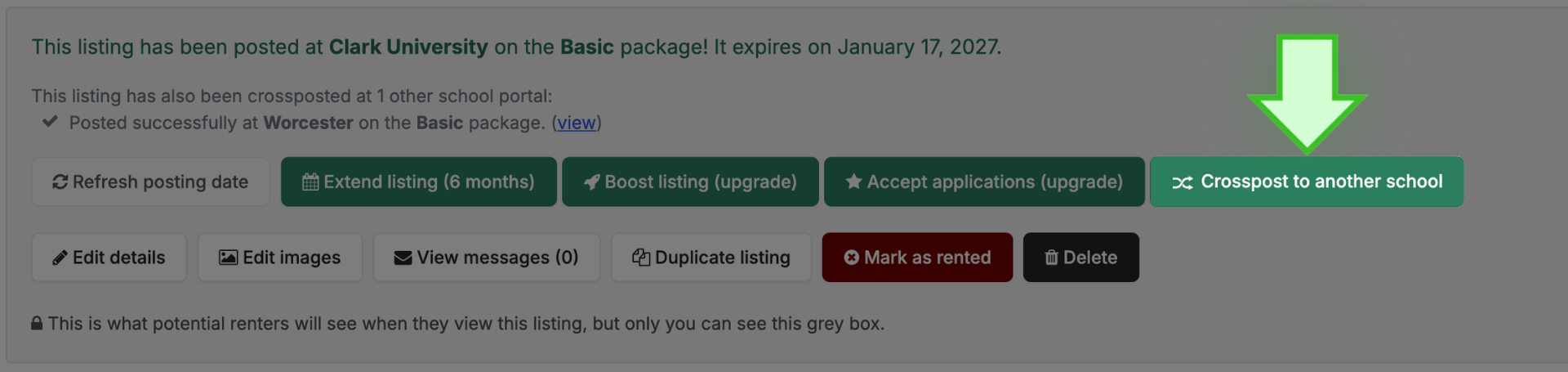
- Above the photo display, select CROSSPOST TO ANOTHER SCHOOL
- A new page opens
- If there are additional schools available, they will be listed on the payment page
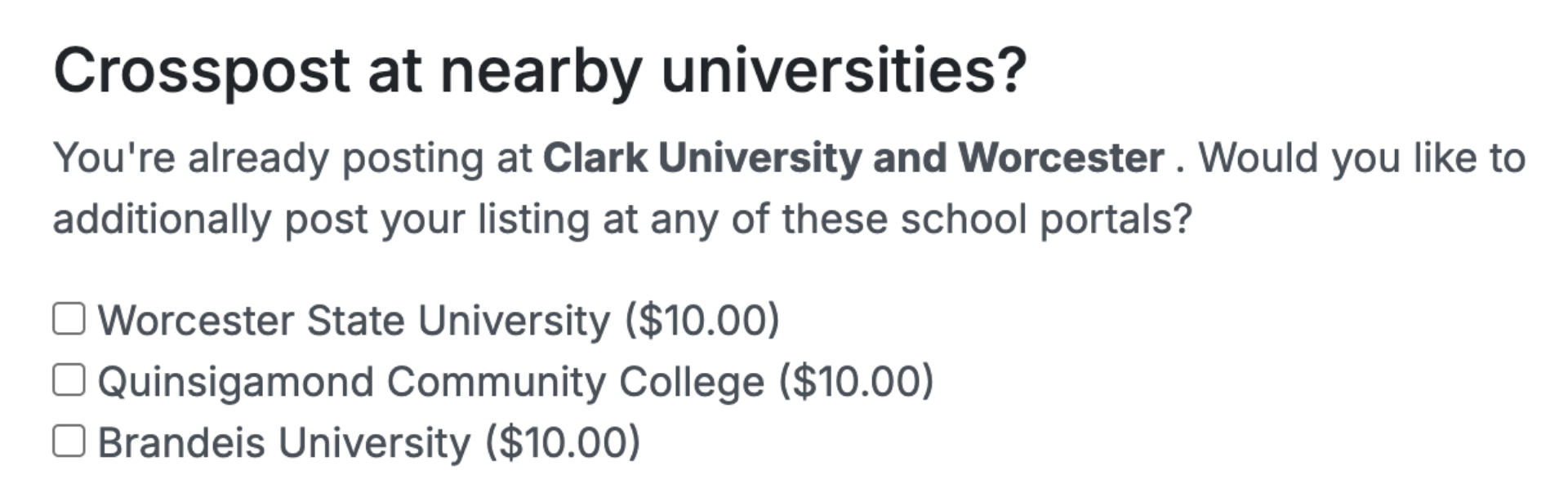
- Select the additional school(s) and select PAY to complete the process.
✩ PRO TIP ✩ If instead of the payment page you see a page with a pink rectangle at the top, this means your ACCOUNT DETAILS are not complete. Before you can cross-post, you must complete the account setup. Fill in all the information, scroll down, and select SUBMIT ACCOUNT DETAILS. You then can follow the instructions above for cross-posting.