
How Do JumpOffCampus Subscriptions Work?
A subscription lets you post multiple listings at once for one simple price. It's built for property managers and landlords with several units.
✩ What you get ✩
- Every listing on your subscription can be posted on the Basic package and Plus package at no extra cost.
- Plus listings receive applications from students.
- This is true for every subscriber, whatever your plan size or billing cycle.
✩ Pricing Breakdown ✩
| Billing Options | Price per listing | Minimum (5 listings) |
|---|---|---|
| Monthly | $10 / month | $50 / month |
| Annual | $100 / year | $500 / year |
- The minimum subscription is 5 listings. You can't subscribe for fewer.
- Price scales in a straight line. 10 listings cost twice as much as 5.
- Annual billing saves you money compared to paying monthly.
- Prices are currently the same at every school.
✩ Use the pricing calculator ✩
The fastest way to calculate your price is through our bulk pricing calculator (make sure to change to whatever school portal you want to post to). We recommend you click around and change your preferences to understand how our price changes.
You choose three things:
- Billing: monthly or annual
- Listings: how many you need posted at the same time
- Schools: how many school portals you need to post on
Your price updates as you change each one.
✩ Posting on more than one school ✩
Each subscription covers one school portal. To cross-post a listing to another school, add schools to your subscription. Each additional school costs $2.50 per listing.
- If you only post to one school, buy one school. Your first school is free as it is included in the price.
- If you always cross-post to several schools (for example Clark and WPI), buy a package that includes all of them. You pay a little more upfront and never have to pay per cross-post.
✩ Your listing limit ✩
Your subscription sets how many listings can be live at the same time. It doesn't limit how many you post over time.
If all your slots are full and you want to post another listing, you have two options:
- Take down a live listing. That frees a slot right away. You can swap listings in and out as often as you like.
- Update your subscription to add more slots.
You'll see a message like "your subscription is full" if you try to post past your limit. This does not mean you can't purchase more listings in your subscription. It just means you need to update the number of listings you have available.
✩ How to update your subscription ✩
- Log in and go to Account Settings or the Billing page.
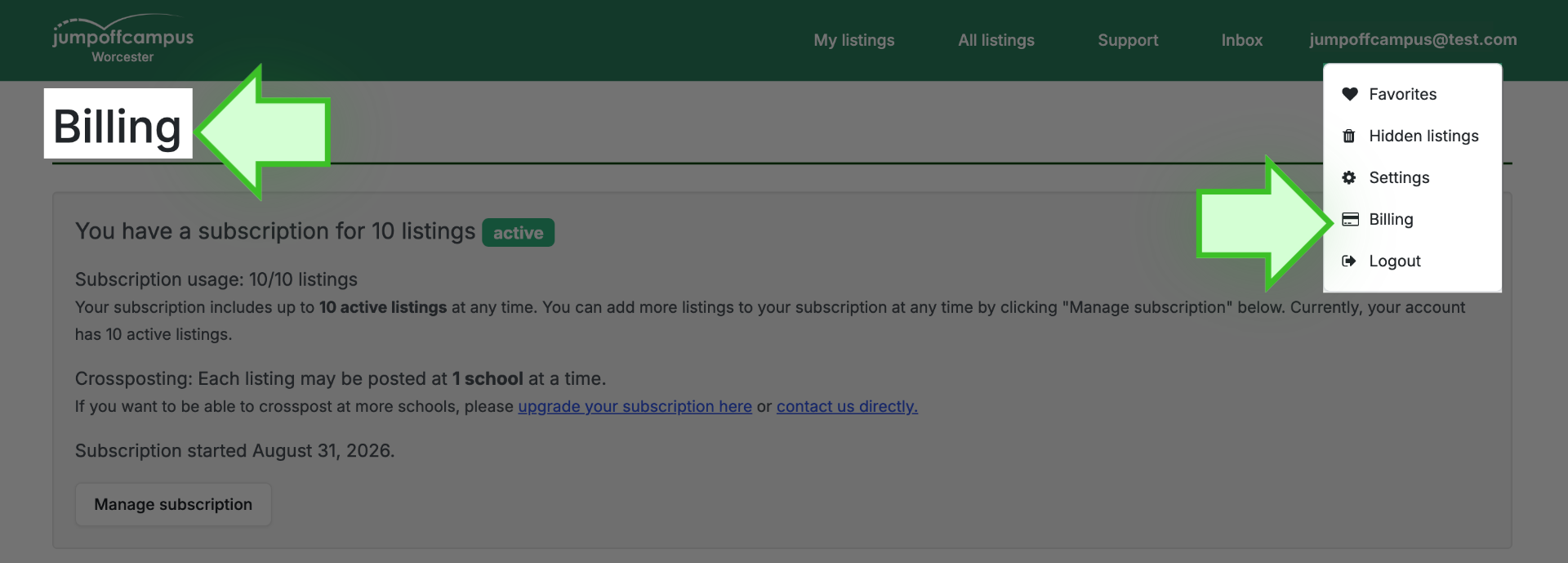
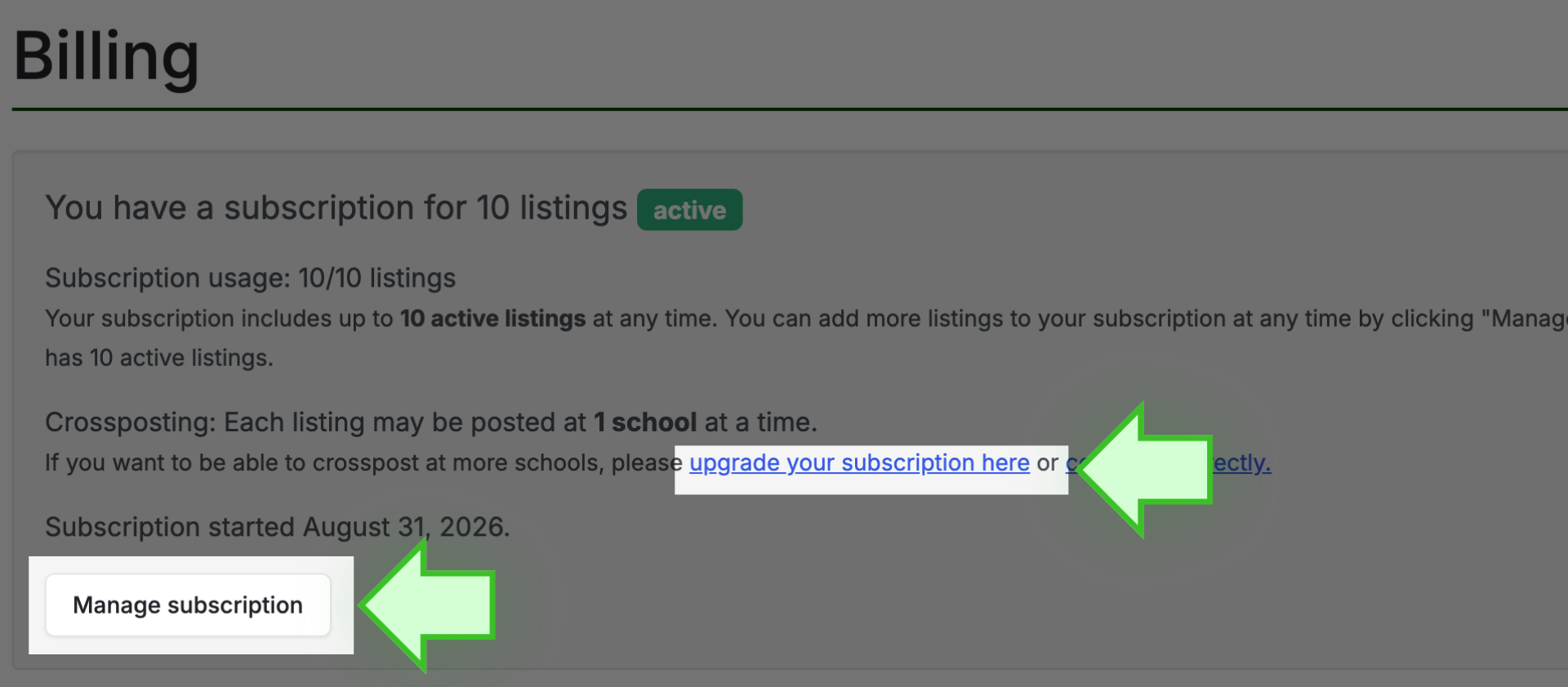
- Open your subscription. This opens our secure Stripe billing portal.
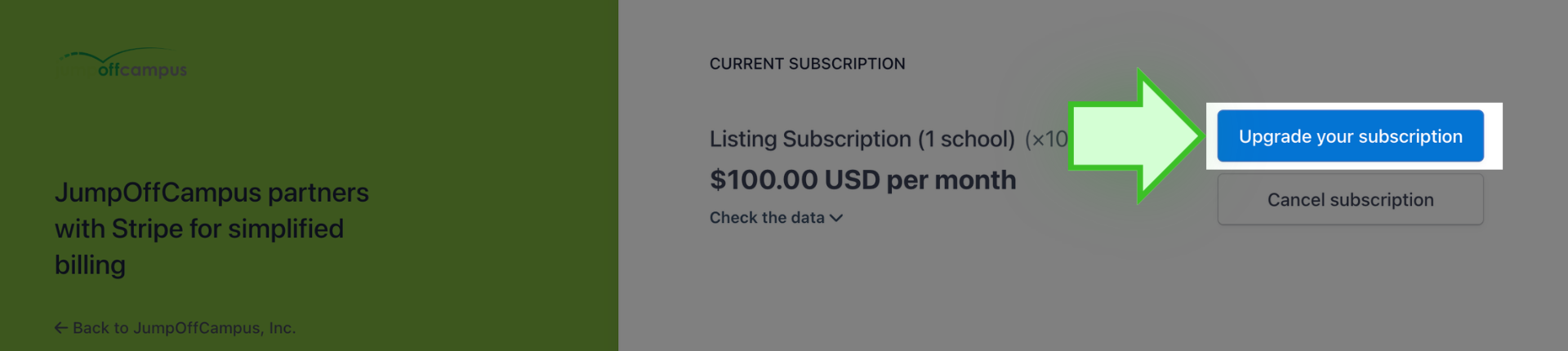
- Change your plan and confirm. Make sure to scroll to see all available plans.
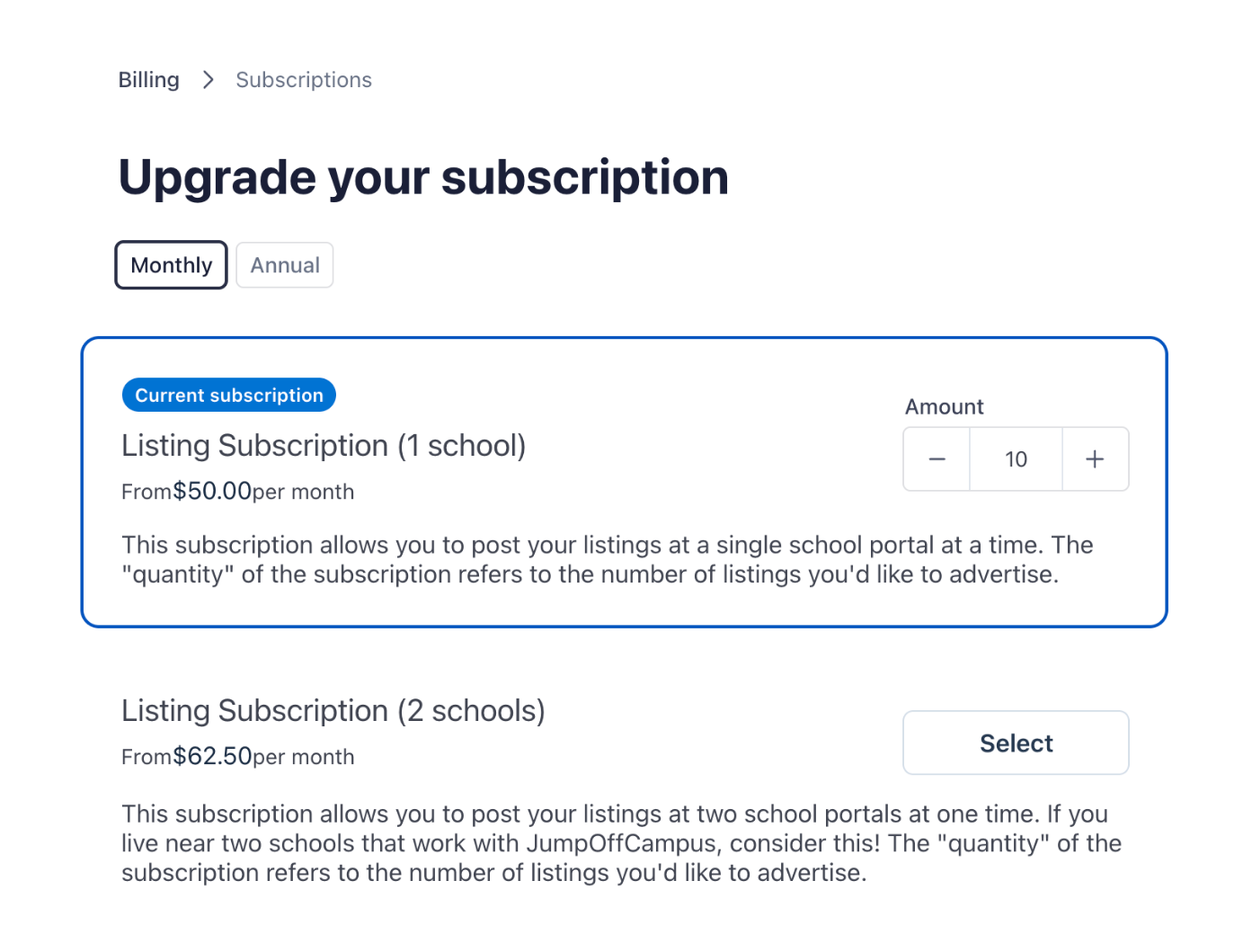
You can add listings at any time. You can also change your plan later, though some options may be limited in the portal. Contact us if you can't find the change you need.
Prorated charges
Changes are prorated automatically. Say you're on an annual plan, you're halfway through the year, and you add one listing. You pay about half the annual price for that listing, not the full $100.
Lowering your listing count also adjusts your billing. Most subscribers pick the most listings they'll need at one time and keep that number all year.
✩ Want a listing to stand out? ✩
Plus is included with your subscription. To feature a listing at the top of search results, you can upgrade individual listings to higher tier listings. See our support article: I Have a Subscription. Can I Upgrade to a Featured Listing?.
✩ Still have questions? ✩
Email us at help@jumpoffcampus.com.